Your fridge, freezer and pantry.
One simple app.
Know what you have, get reminders before food expires, and build a shopping list from what you need.


Unlimited inventory tracking, free.
No account needed to start.
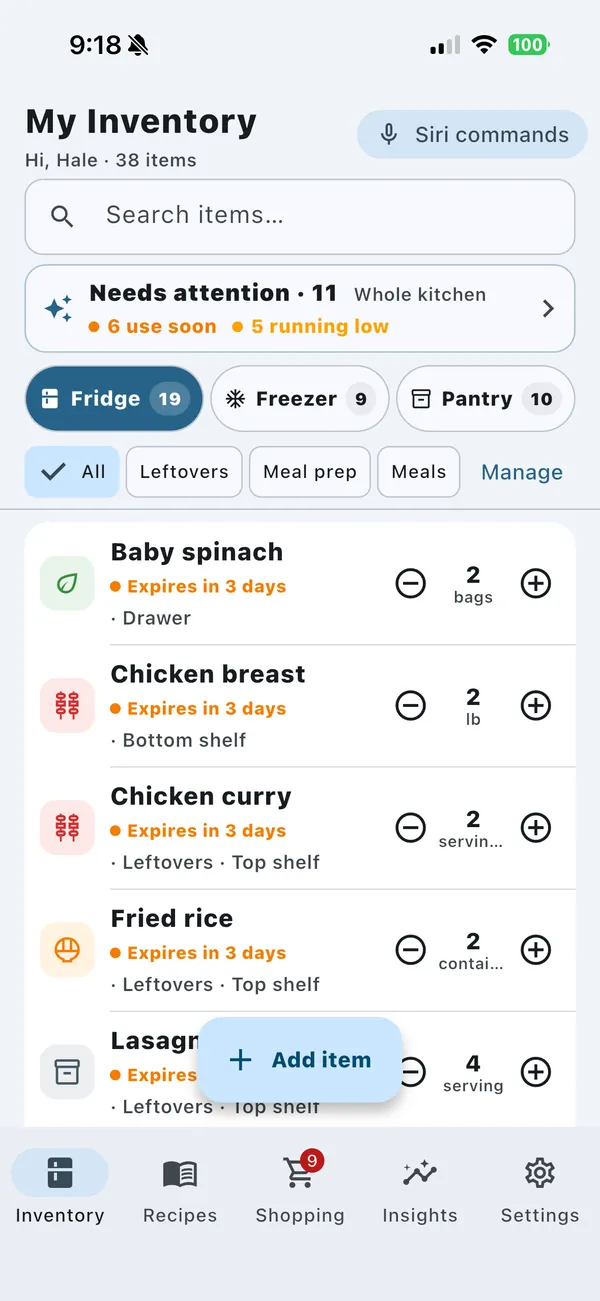
Add your food. Update what you use. Know what to buy next.
-
Know what you have
Choose Fridge, Freezer or Pantry, set the amount and a best-before date. It takes a few seconds.
-
Use food sooner
Update amounts as you use or restock food. Set reminders and see what needs attention.
-
Avoid duplicate shopping
Check your kitchen before shopping. Add missing recipe ingredients to a list grouped by aisle.
A place for groceries, leftovers and meal prep
Track amounts and the dates you enter across your fridge, freezer and pantry. Add homemade meals as easily as groceries.
- Unlimited items, free. No account needed.
- Expiry and low-stock reminders before it’s too late.
- Fast search, shelves, categories and your own units like “bottle”.
- Your own groups such as Leftovers or Meal prep. Pro
- Same item, different date? Keep both, or merge them and keep the earliest date.
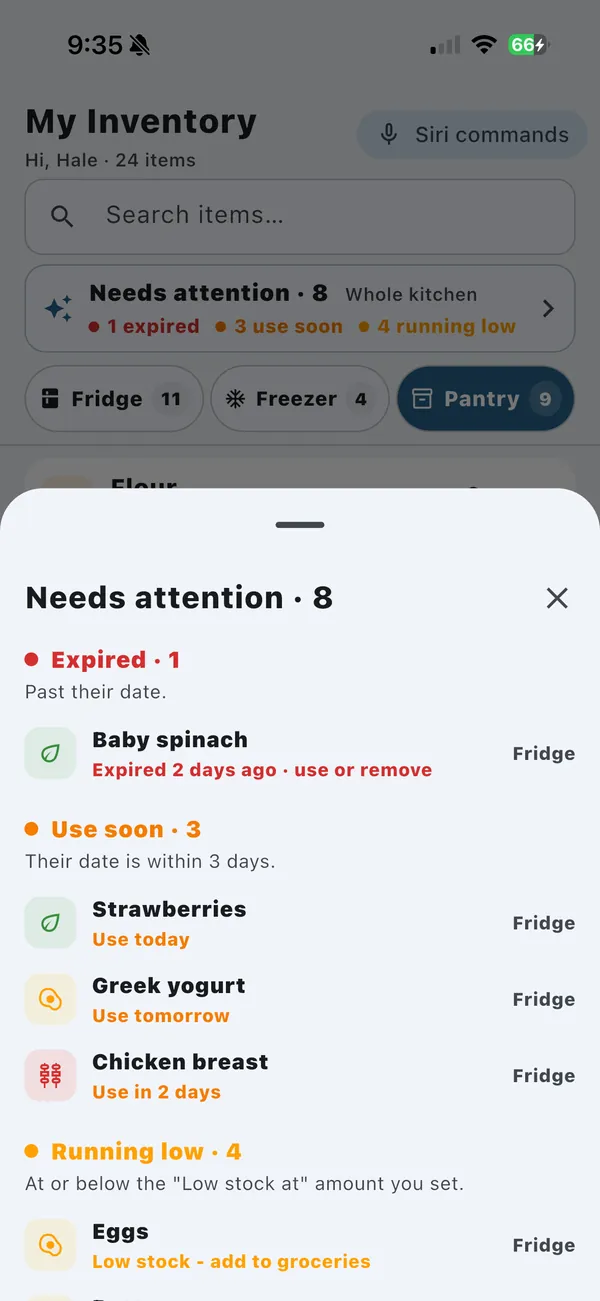
Buy what you need, grouped by aisle
Keep your shopping list separate from your inventory. Checking an item off marks it bought; choose Add to inventory when you want to restock.
- Add several items at once — type “milk, eggs, bread”.
- Check items off as you shop, then choose Add to inventory when you are ready.
- Low-stock suggestions appear in Suggested. Tap + on the ones you want to buy. Pro
Suggestions stay separate until you add them. Turn off “Suggest when low” for any item you do not want suggested.
One Pro subscription. A shared kitchen for up to six.
Invite up to five people to share your inventory and shopping list. They join free with their own FreshTrack account, and changes sync across iPhone and Android. Offline edits sync after you reconnect.
- Up to 6 people in one household.
- Members join free — no extra subscription.
- Shared access covers inventory and shopping. Barcode scanning, group creation, unlimited recipes and ad removal require your own Pro subscription.
- Saved recipes stay private to each person.
- If Pro ends, sharing pauses. Nothing is deleted.
- AAlexInvited the householdPro
- MMayaJoined with invite codeFree
- SSamJoined with invite codeFree
- JJordanJoined with invite codeFree
- +2 spots open
Start free. Share your kitchen with Pro.
No account needed
- Unlimited fridge, freezer and pantry tracking
- Expiry and low-stock reminders
- “Needs attention” and Kitchen Insights
- Shopping list grouped by aisle
Sign in for more
- Save up to 3 recipes and import 5 a day
- Recipe notes and “ready to cook” matching
- 5 Siri commands on iPhone
- Join a Pro member’s household
The free version shows ads, including for invited household members.
Shared inventory & shopping
- You and up to five invited members; they can join free
For the Pro subscriber
- Your own inventory groups
- Unlimited saved recipes and more daily imports
- Low-stock shopping suggestions
- Barcode scanning
- Cloud sync across your devices
- Unlimited Siri commands on iPhone
- No ads
Your local price is shown in the app before you buy. Cancel anytime in your App Store or Google Play account.
Invited members share the household lists; features such as barcode scanning and ad removal require your own Pro subscription. Choose your app store →
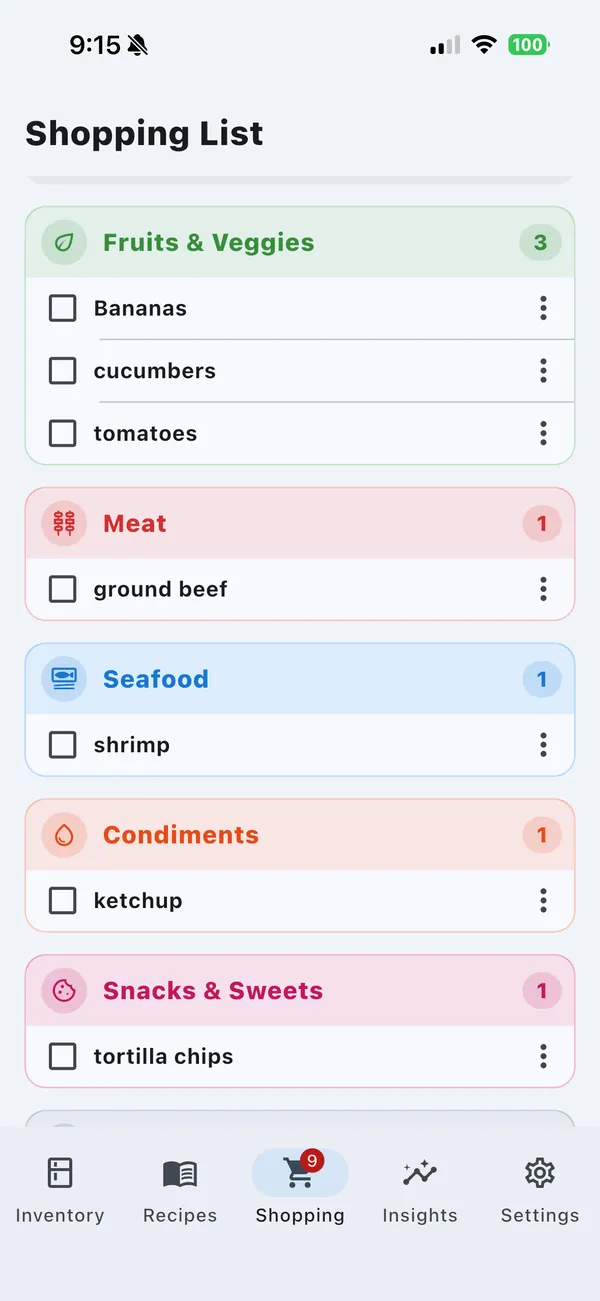
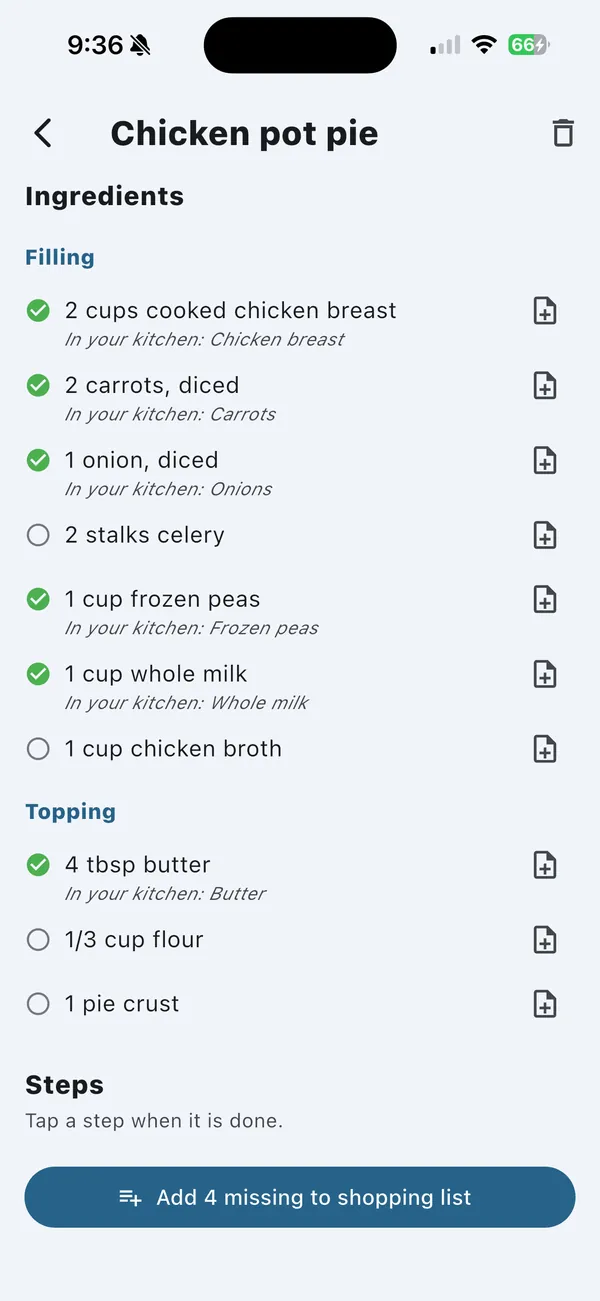
Save recipes. See which ingredients you already have.
Share a recipe link, paste text, pick screenshots, or scan a cookbook page with your camera.
- Ingredients are matched with your kitchen — “Ready to cook”, “Missing 1” or “3 of 7 available”.
- Send only what’s missing to your shopping list.
- Make it yours with notes on the recipe or on a single ingredient.
- Save 3 recipes free when you sign in. Unlimited with Pro.
Some websites block imports. Use screenshots or pasted text instead.
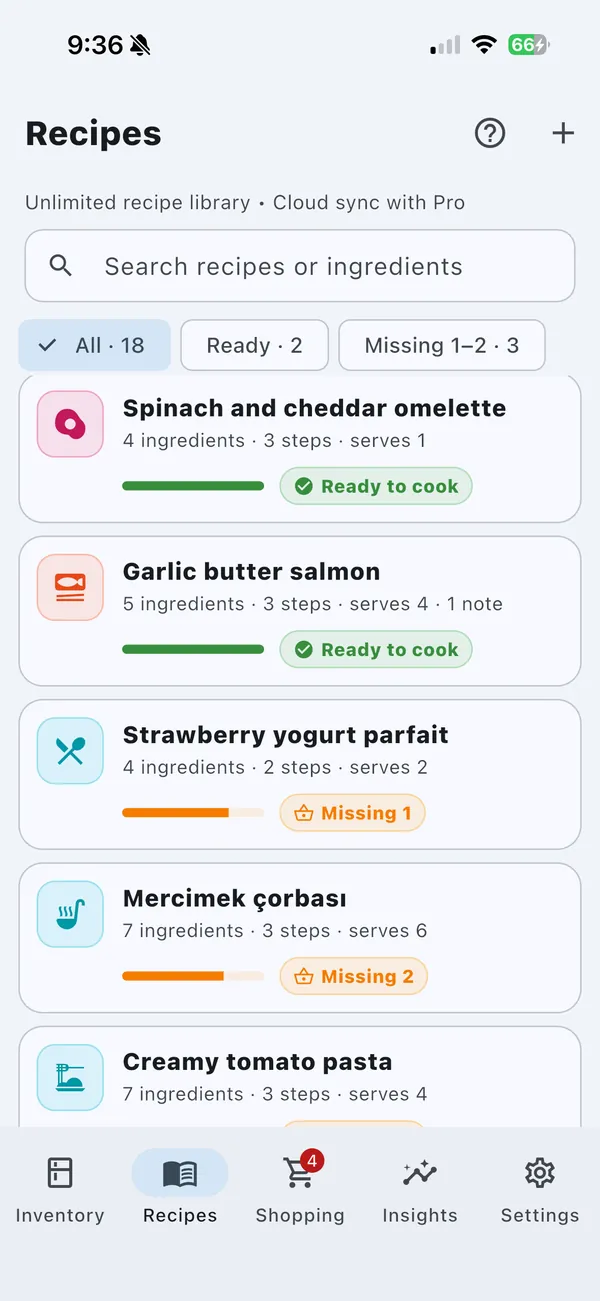
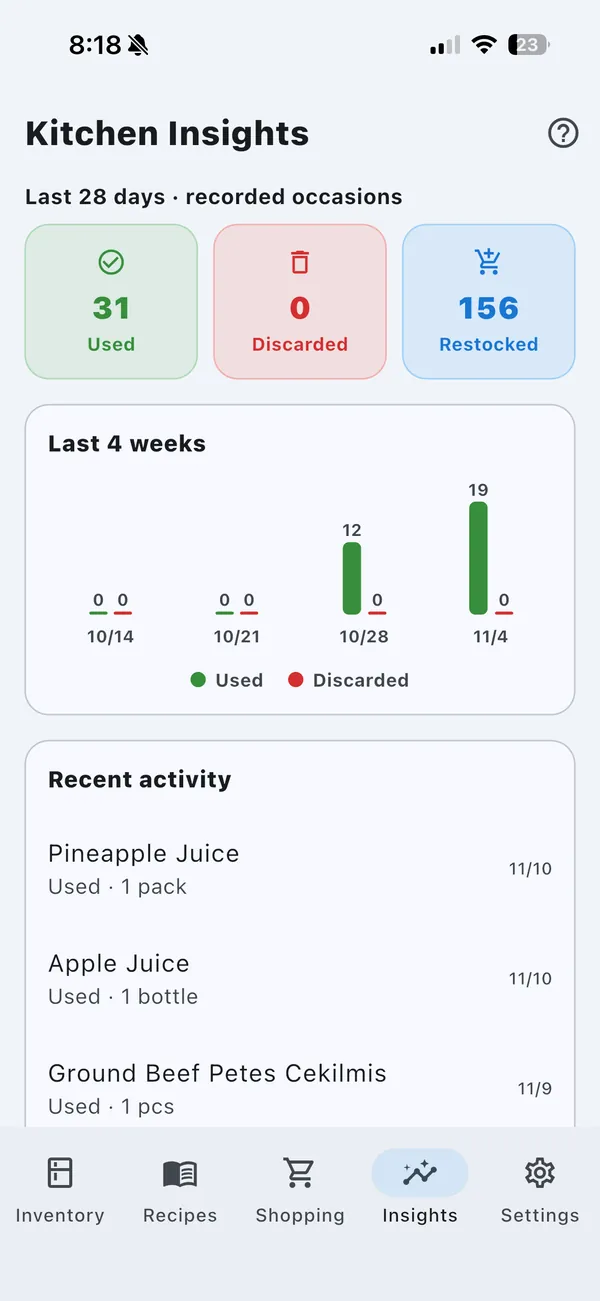
See what happens in your kitchen
Look back at what you used, restocked and threw away over the last four weeks.
- Worth checking highlights items that may need a look.
- Record what happened—use, restock, discard or correct the amount.
- Deleting an item never counts as waste. Your activity tells the story.
Hands covered in flour? Just ask Siri.
Update your inventory without touching your phone.
Use Milk in FreshTrack
Uses one MilkRestock Milk in FreshTrack
Restocks one MilkLog use in FreshTrack
Then say an amount, like “Two eggs”
Needs iOS 16 or later. Commands are in English. Sign in to try 5 successful commands per account on this device; Pro unlocks unlimited commands.
Short walkthroughs of everyday tasks
Tap a video to play. Each one takes less than a minute.
Swipe to see all six →
Add an item
Name, amount and expiry date in a few taps.
Read the steps →Choose what to buy Pro
Low-stock suggestions you add with one tap.
Read the steps →Import a recipe from a website
Share any recipe link to FreshTrack.
Read the steps →Import from screenshots
Save the recipe, then add your own notes.
Read the steps →Organize with groups Pro
Leftovers, Meal prep or anything you like.
Read the steps →Check items with Kitchen Insights
Record what you used, kept or threw away.
Read the steps →Frequently asked questions
Is FreshTrack free?
Yes. You can download FreshTrack for free and track as many items as you like, with reminders and a shopping list, without creating an account. FreshTrack Pro is an optional monthly or yearly subscription; the price for your country is shown in the app before you buy.
Do I need an account?
Not to get started. Sign in when you want to save recipes, use Siri commands, or join a household.
How does household sharing work?
A Pro member creates a household and shares an invite code. Up to five people can join for free with their own FreshTrack account and share the inventory and shopping list. Saved recipes stay private unless you choose to share one as text. Features such as barcode scanning and ad removal require your own Pro subscription.
If the owner’s Pro subscription ends, sharing pauses and nothing is deleted. Members can leave and return to the personal lists saved on that device. This local copy is not a cloud backup.
Does it work offline?
Yes. Your inventory and shopping list work without a connection. Pro and household changes sync when you’re back online. Importing a recipe needs an internet connection.
Which devices are supported?
iPhone, iPad and Android phones. Siri commands need iOS 16 or later.
How do I cancel Pro?
Subscriptions are managed by Apple and Google. On iPhone or iPad, open your App Store subscriptions; on Android, open your Google Play subscriptions.
How do I delete my account?
In the app, go to Settings → Delete account. You can also follow the steps on our delete account page.
How can I contact you?
Visit our support page or email bilalmanisa@gmail.com. We read every message.
More questions? Visit Support or follow our step-by-step guides.

Start with what’s in your fridge tonight
Free on iPhone, iPad and Android.